
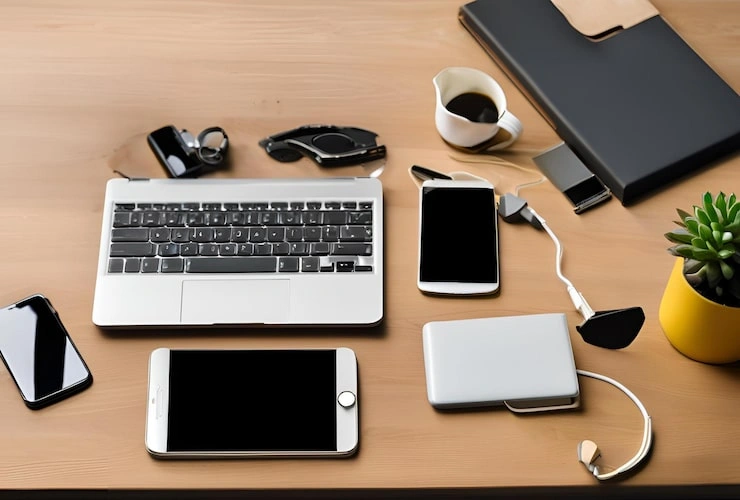
Hybrid work is now common in India and all over the world. You work some days from office and some days from home. This mix is good but it also brings new problems. Your work does not stop. Your calls do not stop. Your need to share files and finish tasks does not stop. But your setup keeps changing. One day you sit in a proper office chair. Next day you work from your dining table. This change hurts your work speed and your body.
To fix this problem you need the right gadgets. Not costly things. Not heavy things. Just simple tools that help you work fast from both places. In this article I will show you the best gadgets for hybrid work productivity. I will explain each one in plain words. You will know what to buy and why.
What is hybrid work productivity?

Before we see the gadgets let us understand the term. Productivity means you finish your work on time without wasting energy or getting tired. Hybrid means you do this from two places. So hybrid work productivity means your work speed and quality stays the same whether you are in office or at home. But most people face a drop. At home the internet is slow. The laptop screen is small. The keyboard is hard to type on. At office the chair is good but you cannot carry it home. So you need gadgets that are light, easy to carry, and work the same at both places.
Read Also: Latest Tech Gadgets Coming in 2026: A Simple
The main problems of hybrid workers
- From talking to many office workers in Bangalore, Mumbai, and Delhi here are the top problems they face.
- First problem is bad posture. You bend your neck to see the laptop screen. Your back hurts after two hours.
- Second problem is poor call quality. Your office meeting has clear voice. At home your family noise comes on the call. Clients hear your TV or your pet.
- Third problem is low battery. You leave home with full charge. By afternoon your laptop is dead. You search for a power plug like a thief.
- Fourth problem is small screen. You cannot see the excel sheet fully. You miss important numbers.
- Fifth problem is slow typing. Office has a good keyboard. Home has the flat laptop keyboard that hurts your fingers.
- Now let us see the gadgets that solve each problem.
Category one gadgets for body comfort and good posture
A simple laptop stand
Your laptop screen is too low. You look down to see it. This hurts your neck. A laptop stand lifts the screen to your eye level. You sit straight. Your neck feels light. Choose a stand that folds flat. It should fit in your bag. Metal stands are better than plastic ones. They do not break. They do not slip. Price in India is between five hundred to one thousand rupees. Do not buy costly ones. A simple stand from Amazon or local market works fine. When you go to office keep this stand on your desk. When you work from home take it out of your bag. Same height. Same comfort.
An external keyboard
The keyboard on your laptop is small. Your wrists bend to type. This gives you pain after some days. An external keyboard is separate. You keep it flat on the table. Your hands rest naturally. Buy a keyboard that is light. Some keyboards have wire. Some work without wire. For hybrid work take a wireless keyboard. It works with bluetooth. You do not need to plug anything. You keep it in your bag and take it to office also. Do not buy fancy keyboards with colorful lights. They do not help. Buy a simple keyboard with round keys that feel soft when you press. Logitech makes good ones. Zebronics also makes good ones for low price.
A vertical mouse
Normal mouse makes your hand turn sideways. Your wrist touches the table. After many hours this gives you wrist pain. A vertical mouse stands up. Your hand holds it like a handshake. Your wrist stays straight. This gadget looks strange first time. But after one week you will not go back to normal mouse. Vertical mouse stops the pain called carpal tunnel. Many office workers in India now use this. Portronics and Dell sell good vertical mouse for around one thousand to two thousand rupees.
Category two gadgets for clear calls and meetings
A good USB microphone
Your laptop has a built in mic. But this mic picks every sound. The fan. The road noise. Your mother calling you for tea. The other people on the call hear all this. They get angry. You look unprofessional. A USB microphone is small. It sits on your table near your mouth. It only picks your voice. It cuts the background noise. You do not need to shout. The other person hears you clear like you are in a studio. Buy a mic that has a button to mute. This button saves you in many meetings. When someone enters your room you press mute. When your boss says something bad you press mute and laugh. Blue Yeti is famous but costly. For Indian buyers look for Maono or Boya brand. They cost two to three thousand rupees and work very well.
A webcam with auto light fix
Your laptop camera is bad. It makes you look dark or too white. In office light you look okay. At home in the evening you look like a ghost. This is not good for client meetings. A separate webcam fixes this. Good webcams adjust to room light. They make your face look natural. They also have better focus. When you show a paper or a product the webcam focuses clearly. Logitech C270 is a good choice for hybrid workers. It costs around three thousand rupees. It is not heavy. You keep it on top of your laptop or monitor. Some webcams also have a cover for privacy. When you are not in a meeting you slide the cover and no one can see you.
Neckband or headset with noise cut
You may not like keeping a mic on your table. Or you work from a noisy place like a train or a cafe. Then you need a headset. But not a big bulky one. A neckband style headset is light. It hangs on your neck. The mic is near your mouth. The most important feature is active noise cut. This means the headset removes background sound before sending your voice. The other person only hears you. Not the bus horn. Not the rain. Boat and Noise make good neckbands in India. Look for the word ENC which means environmental noise cut. Price range is one to two thousand rupees.
You May Also Like: What Is Wearable Tech And How Does It
Category three gadgets for power and battery
A power bank that charges laptop
Phone power banks are common. But laptop needs more power. A normal power bank cannot charge your laptop. You need a power bank with high output. Look for the word PD which means power delivery. This type gives enough electricity to charge your laptop fully. Choose a power bank with twenty thousand milliamp hour capacity. This can charge your laptop one full time and your phone two times. It should have a USB C port for laptop and a USB A port for phone. Ambrane and Mi sell such power banks for around two to three thousand rupees. Keep this power bank in your bag always. Even if you forget your laptop charger this power bank saves your day.
A multi plug with USB ports
In office you get many plugs. At home you fight with your family for one plug. Your laptop needs plug. Your phone needs plug. Your wifi router needs plug. You cannot unplug the router. Buy a multi plug that has three pin sockets and also USB ports. This way you charge laptop from socket and phone from USB without any extra adapter. One multi plug solves your whole home office setup. Look for a multi plug with a long wire. Three meter wire is good. Then you can keep the multi plug on your table even if the wall plug is far. Also buy one with a switch. You can turn off all gadgets with one button.
Category Four Gadgets for Screen and Seeing Clearly
A portable monitor
This is the best gadget for hybrid work but less people know about it. A portable monitor is a second screen. It is thin and light like a big tablet. You connect it to your laptop with one wire. Then you have two screens. On one screen you keep your email or chat. On the second screen you do your main work. You do not need to switch tabs again and again. Your work speed doubles.
Portable monitors come in thirteen inch or fifteen inch size. They run on laptop power. No separate plug needed. In office you keep it on your desk. At home you keep it on your dining table. It fits in a laptop bag. KYY and Lenovo sell good portable monitors in India for seven to twelve thousand rupees. This looks costly but once you use two screens you cannot go back to one screen.
Blue cut glasses
Your laptop screen gives blue light. This light makes your eyes tired. It also stops your sleep. You work late and then cannot sleep. Next day you feel tired. Blue cut glasses look like normal glasses. They have no power. They only remove the harmful blue light. Your eyes feel less strain. You work longer without headache. You do not need costly brand glasses. Any optical shop sells blue cut glasses for five hundred to one thousand rupees. Wear them whenever you sit in front of laptop. Your eyes will thank you after six months.
Category five gadgets for moving between places
A tech pouch
You now have many small gadgets. Mic. Mouse. Power bank. USB cables. All these things get lost in your bag. You reach office and cannot find your mouse. This wastes time and makes you angry. A tech pouch is a small bag inside your main bag. It has many small pockets. You keep each gadget in its place. Mouse in one pocket. Power bank in second pocket. Cables in third pocket. When you reach office you open the tech pouch and find everything in one second. Buy a tech pouch that opens flat like a book. Then you can see everything without digging. Many brands on Amazon sell this for four hundred to one thousand rupees.
A cable organiser
Cables get twisted. You open your bag and see a nest of wires. You pull one wire and three wires come out. This is very bad when you are in a hurry for a meeting. A cable organiser is a small leather or plastic band. You roll each cable and put this band around it. One cable stays separate from other cables. You buy a pack of ten such bands for very low price. Keep them in your tech pouch.
How to choose what to buy first?
- You cannot buy all gadgets at once. Money is limited. So buy in this order.
- First buy the laptop stand. Your neck pain is serious. It will stay with you for years. Spend five hundred rupees today to save fifty thousand rupees of doctor fees later.
- Second buy the vertical mouse and external keyboard. Your hands do heavy work every day. Help them.
- Third buy the power bank. Hybrid work means you are not always near a plug.
- Fourth buy the USB microphone or headset. Your voice on calls is your brand. Make it clear.
- Fifth buy the portable monitor when you have saved enough money. This is a big upgrade.
A sample daily setup for hybrid worker
Let me tell you how these gadgets work together in real life.
Morning you put your laptop, stand, keyboard, mouse, power bank, mic, and portable monitor in your bag. You reach office. You take out the tech pouch. You put the laptop stand on desk. You put laptop on stand. You plug portable monitor to laptop. You connect wireless keyboard and mouse. You put the USB mic on the table. You work full day with no neck pain, no wrist pain, clear calls, and two screens.
Evening you pack everything back in the tech pouch. You go home. You open the bag. Same setup on your dining table. The work continues. Your body feels the same. Your speed stays the same. This is real hybrid work productivity and know about its best gadgets for hybrid work productivity.
Common mistakes people make
- Many people buy costly gadgets but forget the basics. Here are mistakes to avoid.
- First mistake is buying a costly gaming mouse. Gaming mouse is heavy and has many buttons you never use. Buy a simple vertical mouse for work.
- Second mistake is buying a big headphone that covers full ear. This heats your ears. After one hour you feel sweat. Buy a neckband or an open ear headset.
- Third mistake is buying a power bank that looks small and cute. Small power bank cannot charge laptop. Always check the wattage. It should be 45 watt or more for laptop charging.
- Fourth mistake is keeping all gadgets loose in bag. They scratch each other. The mic gets dust in its holes. The cable ends get bent. Use a tech pouch.
Conclusion
Hybrid work is not going away. Companies are asking people to come two or three days to office. The rest of the days you work from home. If you do not fix your setup you will feel tired, slow, and angry. Your work quality will drop. Your boss will notice.
But with the right gadgets your life becomes easy. You do not need a big budget. Start with the laptop stand and the vertical mouse. Add one gadget every two months. Within one year you will have a full hybrid setup that works anywhere.
The gadgets I listed here are all tested by real Indian office workers. They are available on Amazon, Flipkart, and local computer shops. Do not buy the costliest one. Buy the one that fits your bag and fits your budget.